
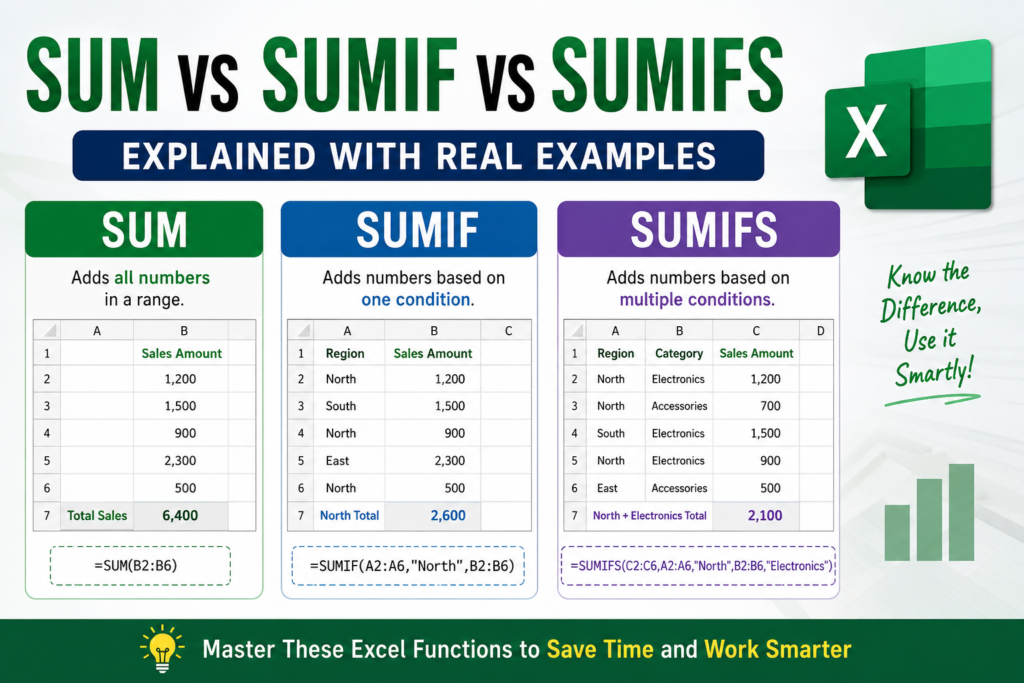

SUM vs SUMIF vs SUMIFS in Excel:- Imagine your manager sends a spreadsheet containing thousands of sales records and asks a simple question:
“What is our total sales amount?”
You calculate the total in seconds.
Then another request arrives:
“Now calculate sales only for North region.”
You finish that too.
But suddenly a third request appears:
“Calculate Electronics sales only from the North region.”
This is exactly where many Excel users become confused.
Should you use SUM? SUMIF? Or SUMIFS?
Although these functions look similar, they solve completely different problems.
In this guide you’ll learn exactly when to use each formula with real examples.
What is SUM Function in Excel?
SUM is the most basic Excel function.
It simply adds numbers together.
Formula:
=SUM(range)
Real Example
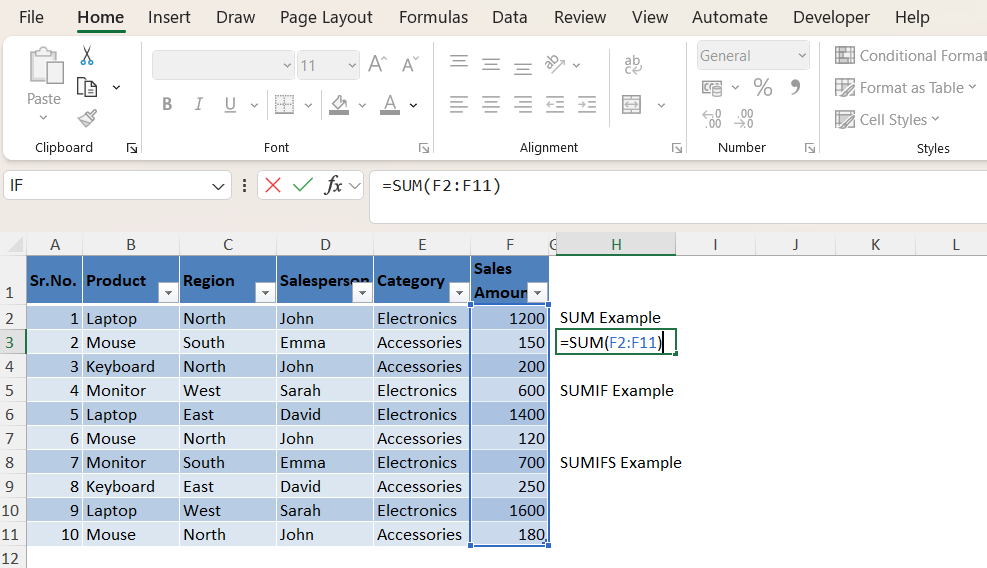
Suppose your spreadsheet contains sales amounts:
| Sales Amount |
|---|
| 1200 |
| 150 |
| 200 |
| 600 |
| 1400 |
Formula:
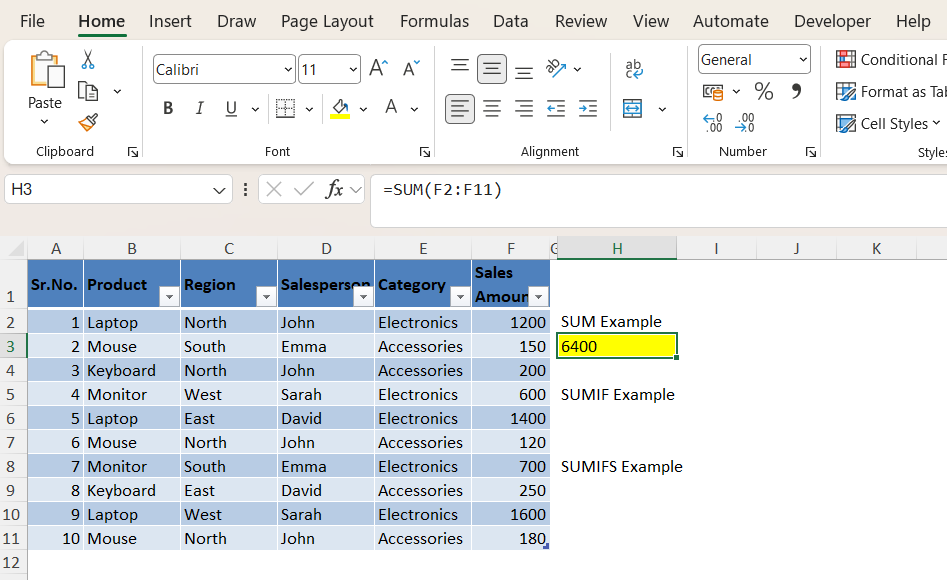
=SUM(F2:F11)
Result:
$6,400
Use SUM when you want total values without applying conditions.
What is SUMIF in Excel?
SUMIF allows Excel to add values only if a condition is true.
Formula:
=SUMIF(criteria_range,criteria,sum_range)
Real Scenario
Your manager asks:
“What are total sales from North region only?”
| Region | Sales |
|---|---|
| North | 1200 |
| South | 150 |
| North | 200 |
Formula:
=SUMIF(C2:C11,"North",F2:F11)
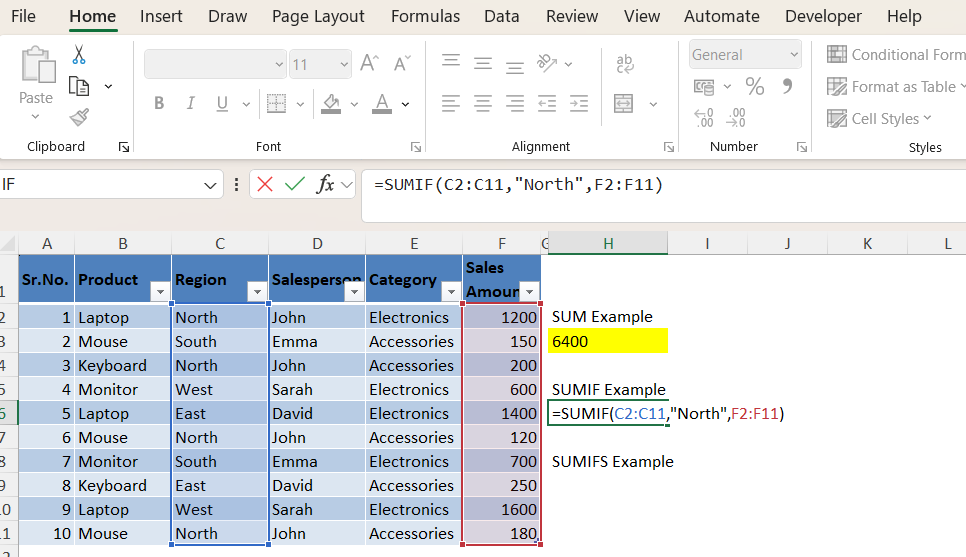
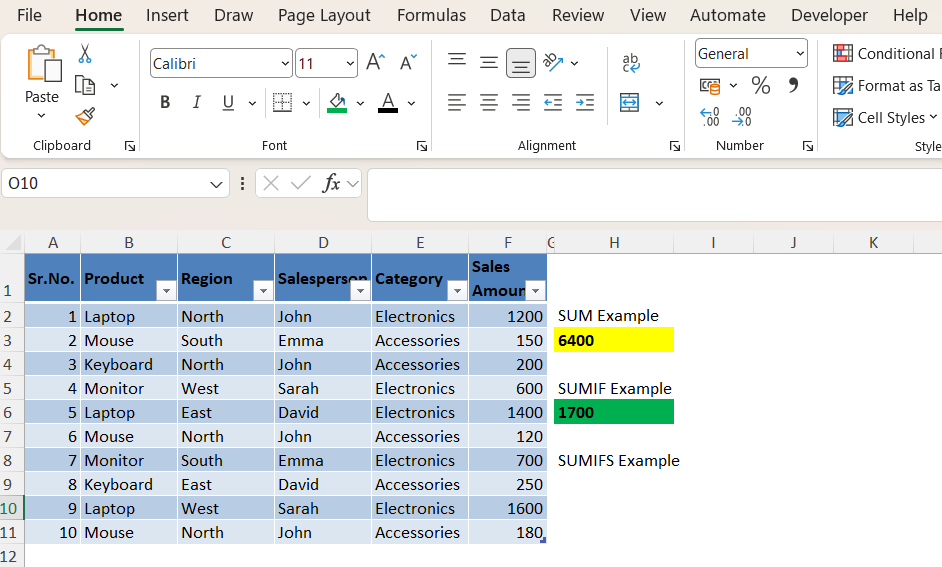
Result:
$1,700
SUMIF works with only one condition.
What is SUMIFS in Excel?
SUMIFS works when multiple conditions are required.
Formula:
=SUMIFS(sum_range,criteria_range1,criteria1,criteria_range2,criteria2)
Real Scenario
Your manager asks:
“What are Electronics sales from North region only?”
| Region | Category | Sales |
|---|---|---|
| North | Electronics | 1200 |
| North | Accessories | 200 |
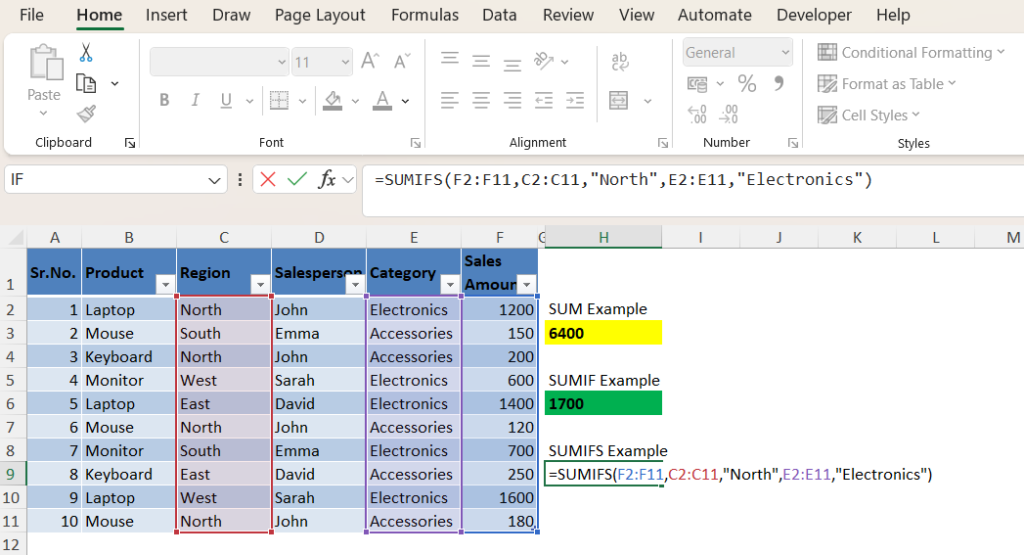
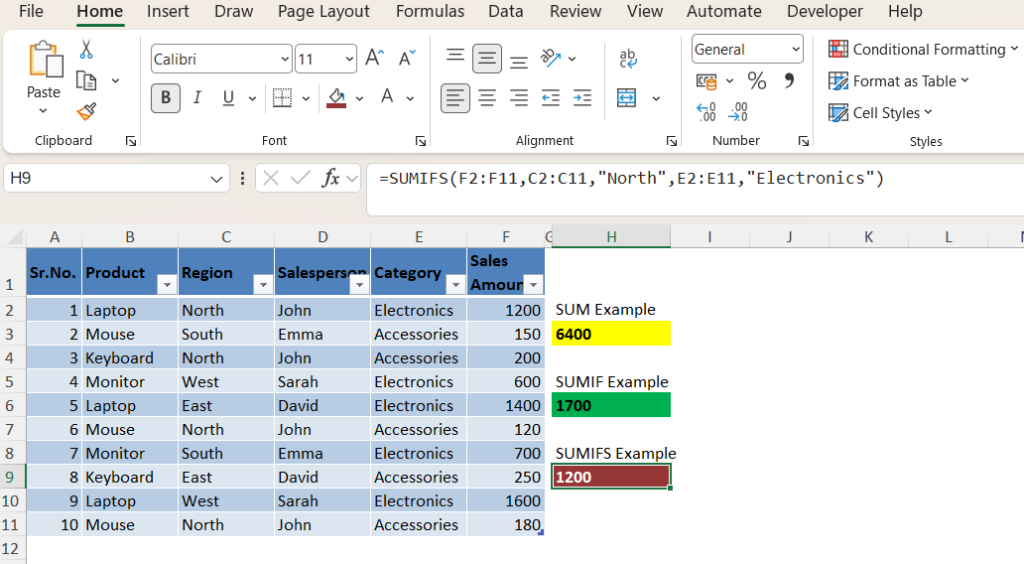
Formula:
=SUMIFS(F2:F11,C2:C11,"North",E2:E11,"Electronics")
Result:
$1200
SUMIFS can use multiple conditions simultaneously.
SUM vs SUMIF vs SUMIFS: Main Differences
| Function | Conditions | Best Use |
|---|---|---|
| SUM | No conditions | Total sales |
| SUMIF | One condition | Region sales |
| SUMIFS | Multiple conditions | Filtered reporting |
Common Mistakes Users Make
- Using SUMIF instead of SUMIFS
- Selecting wrong ranges
- Using different range sizes
- Forgetting quotation marks
The sum range and criteria ranges should have equal row sizes.
When Should You Use Each Formula?
Use SUM:
- Total monthly sales
- Total expenses
- Total inventory
Use SUMIF:
- Total sales from one region
- Total sales by one employee
Use SUMIFS:
- Sales by region and category
- Employee sales by month
- Department reporting
Related Articles
Frequently Asked Questions
What is the difference between SUM and SUMIF?
SUM calculates totals while SUMIF calculates totals based on one condition.
Can SUMIFS use multiple conditions?
Yes. SUMIFS supports multiple criteria.
Which function should beginners learn first?
Start with SUM, then learn SUMIF and SUMIFS.


Pingback: How to Use the SUMIF Function in Excel (Beginner Guide With Examples) - Excel AI Tools and SEO Guides
Pingback: SUMIF vs SUMIFS in Excel: What’s the Difference? (+ Real Examples) - Excel AI Tools and SEO Guides