
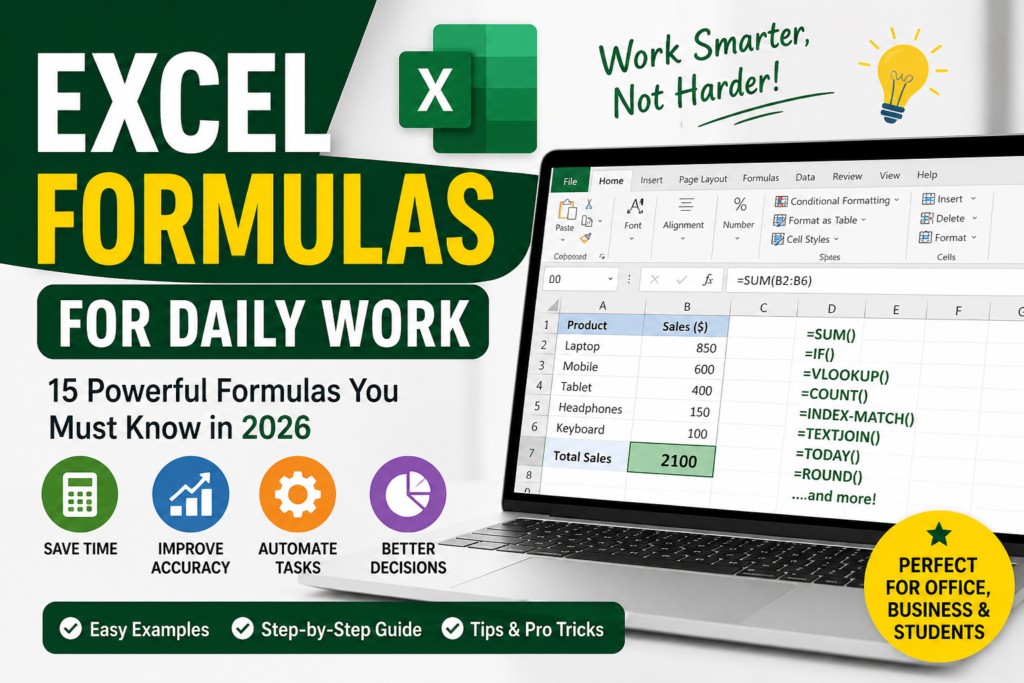

Still doing manual calculations in Excel? You’re wasting hours every week. Excel formulas for daily work can save up to 70% of your time and help you automate repetitive tasks easily.
Whether you’re working in an office, managing business data, or just starting out, learning useful Excel formulas is one of the most valuable skills in 2026.
What is Excel Formulas for Daily Work?
Excel formulas are predefined calculations used to process data automatically. These formulas help you perform calculations, analyze data, and generate reports without manual effort.
When we talk about Excel formulas for daily work, we refer to commonly used formulas that simplify everyday tasks like:
- Salary calculations
- Attendance tracking
- Sales reports
- Inventory management
For example, instead of adding numbers manually, you can use the SUM formula to calculate totals instantly.
Why Excel Formulas are Important for Daily Work
Using Excel formulas is not just about convenience—it’s about working smarter.
- Save Time: Automate repetitive tasks
- Reduce Errors: Eliminate manual calculation mistakes
- Increase Productivity: Complete tasks faster
- Better Decision Making: Analyze data efficiently
Professionals in finance, HR, marketing, and business rely heavily on Excel formulas for office work to improve efficiency.
Step-by-Step Guide to Use Excel Formulas for Daily Work
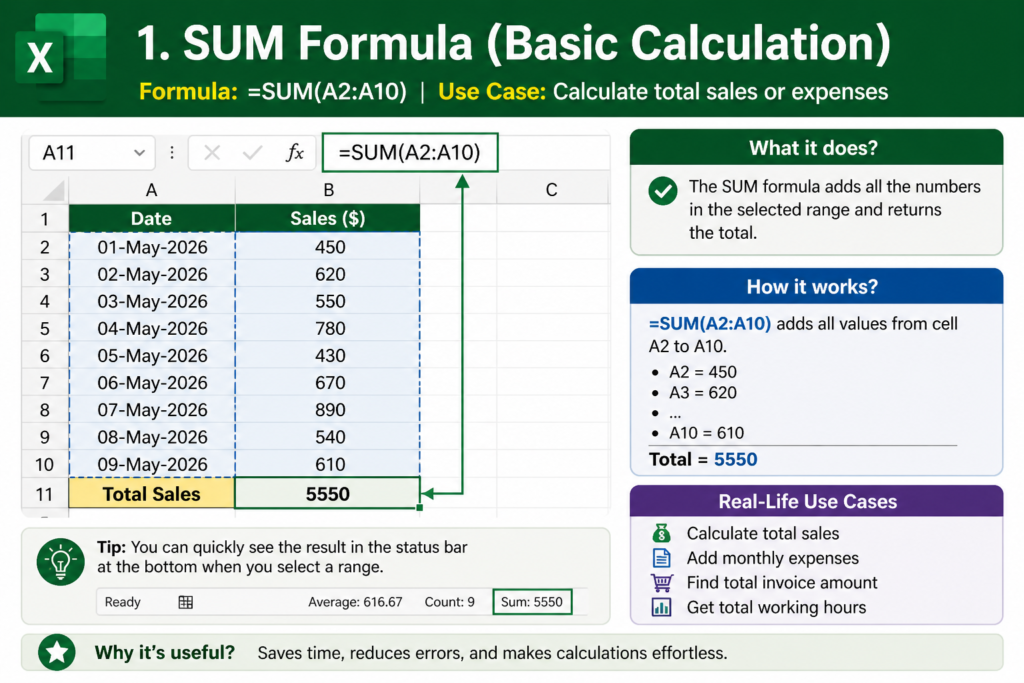
1. SUM Formula (Basic Calculation)
Formula: =SUM(A1:A10)
Use Case: Calculate total sales or expenses
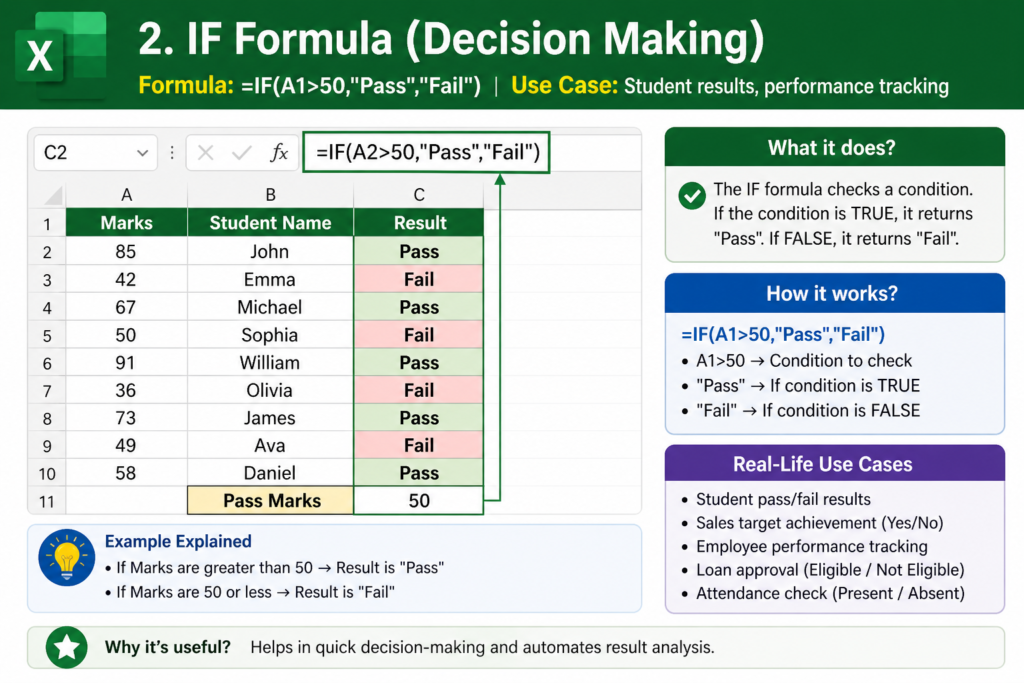
2. IF Formula (Decision Making)
Formula: =IF(A1>50,”Pass”,”Fail”)
Use Case: Student results, performance tracking
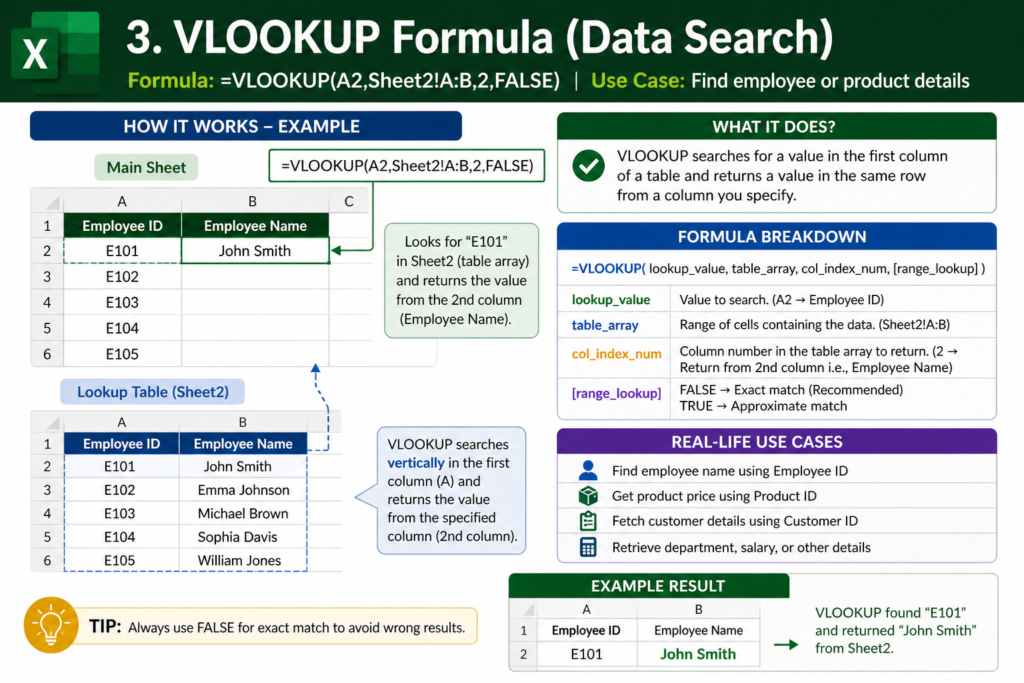
3. VLOOKUP Formula (Data Search)
Formula: =VLOOKUP(A2,Sheet2!A:B,2,FALSE)
Use Case: Find employee or product details
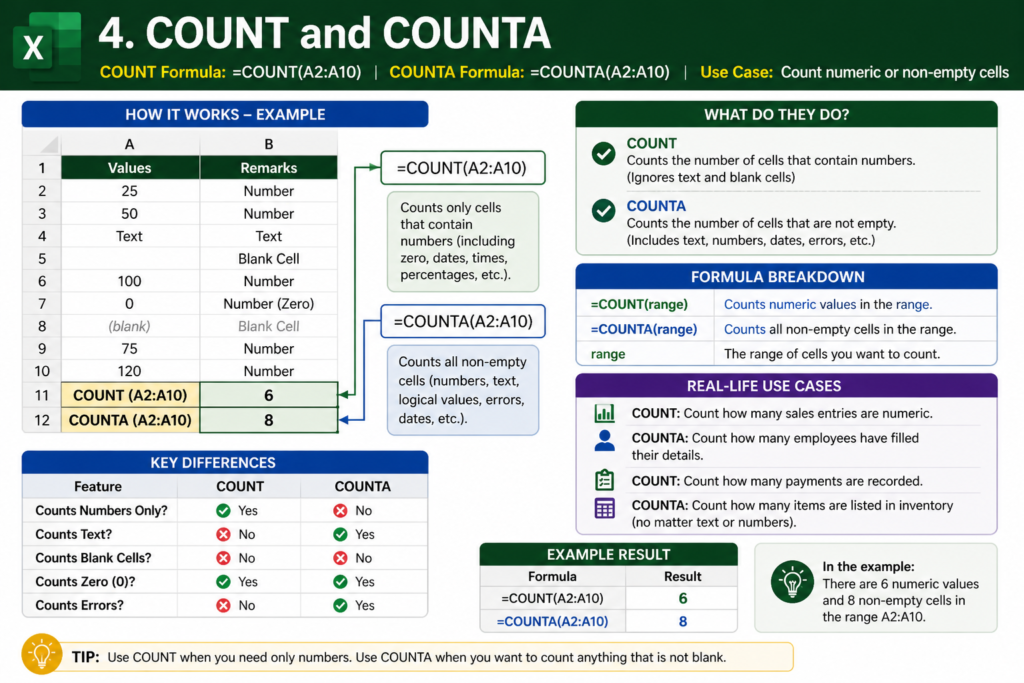
4. COUNT and COUNTA
Formula: =COUNT(A1:A10)
Formula: =COUNTA(A1:A10)
Use Case: Count numeric or non-empty cells
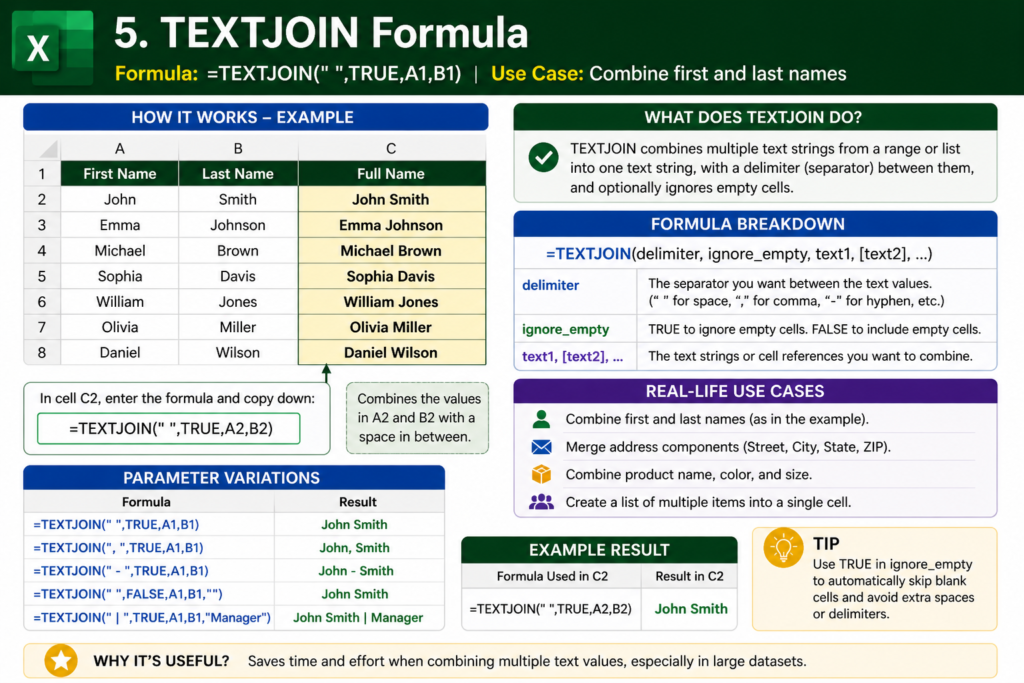
5. TEXTJOIN Formula
Formula: =TEXTJOIN(” “,TRUE,A1,B1)
Use Case: Combine first and last names
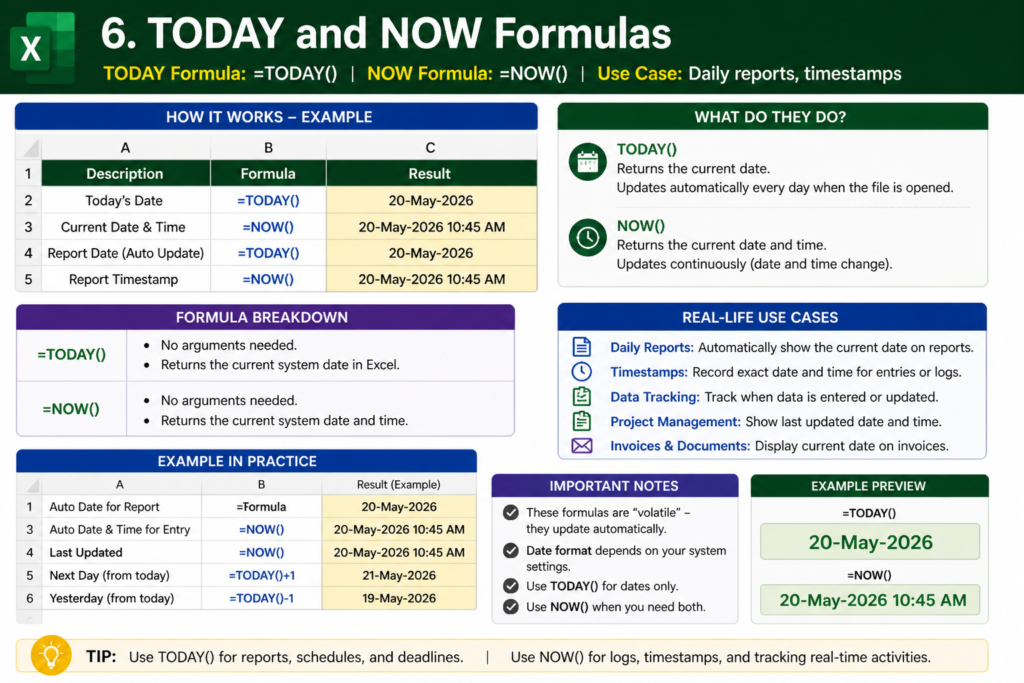
6. TODAY and NOW
Formula: =TODAY()
Formula: =NOW()
Use Case: Daily reports, timestamps
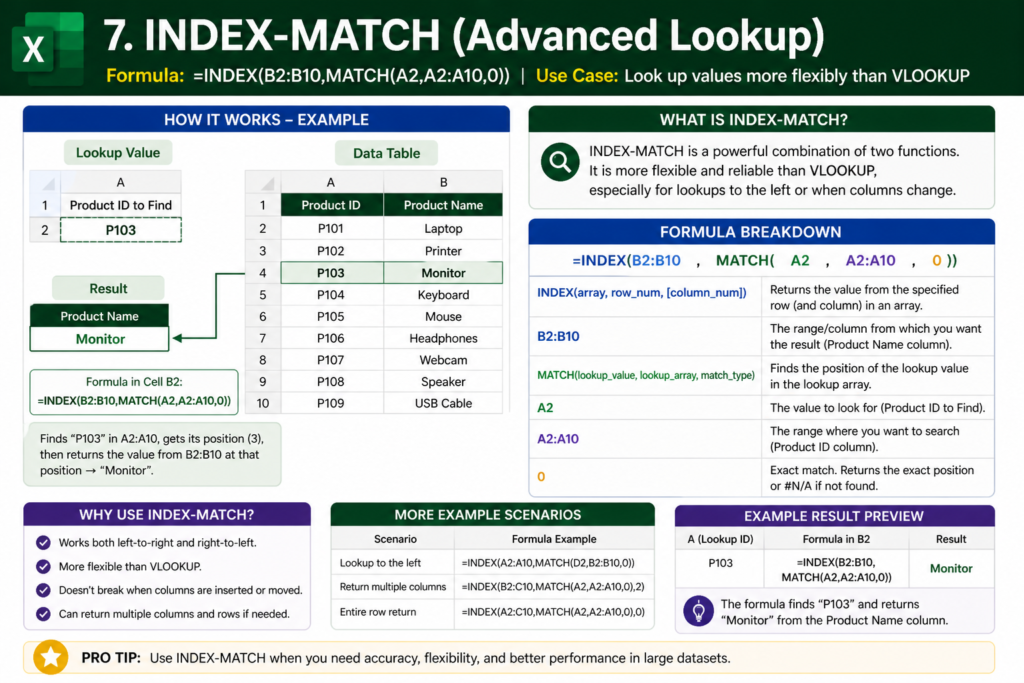
7. INDEX-MATCH (Advanced Lookup)
Formula: =INDEX(B2:B10,MATCH(A2,A2:A10,0))
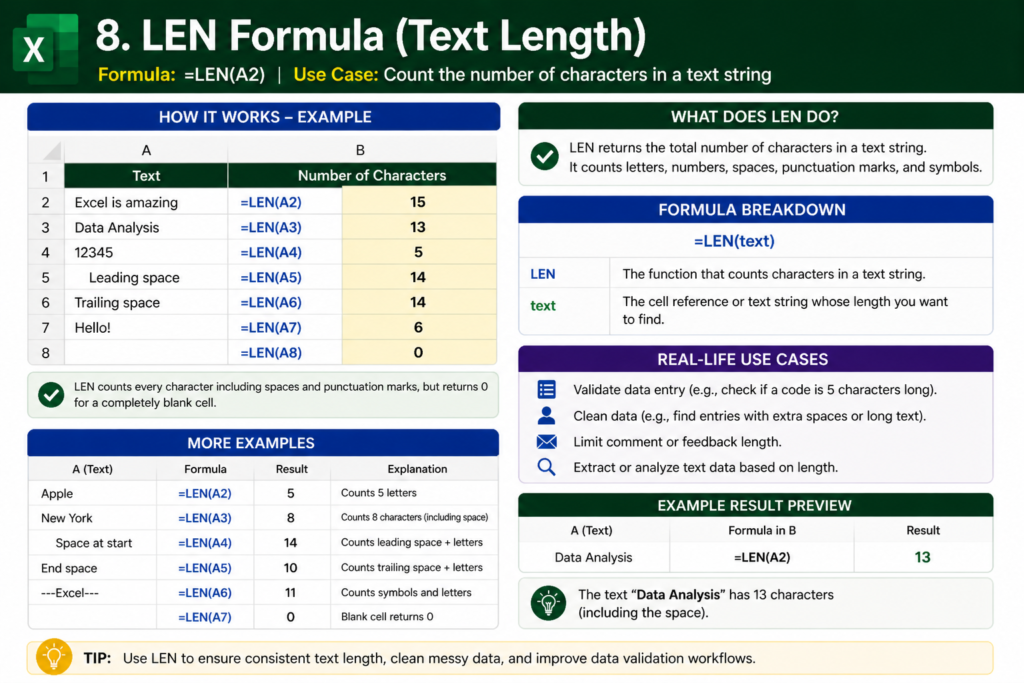
8. LEN Formula
Formula: =LEN(A2)
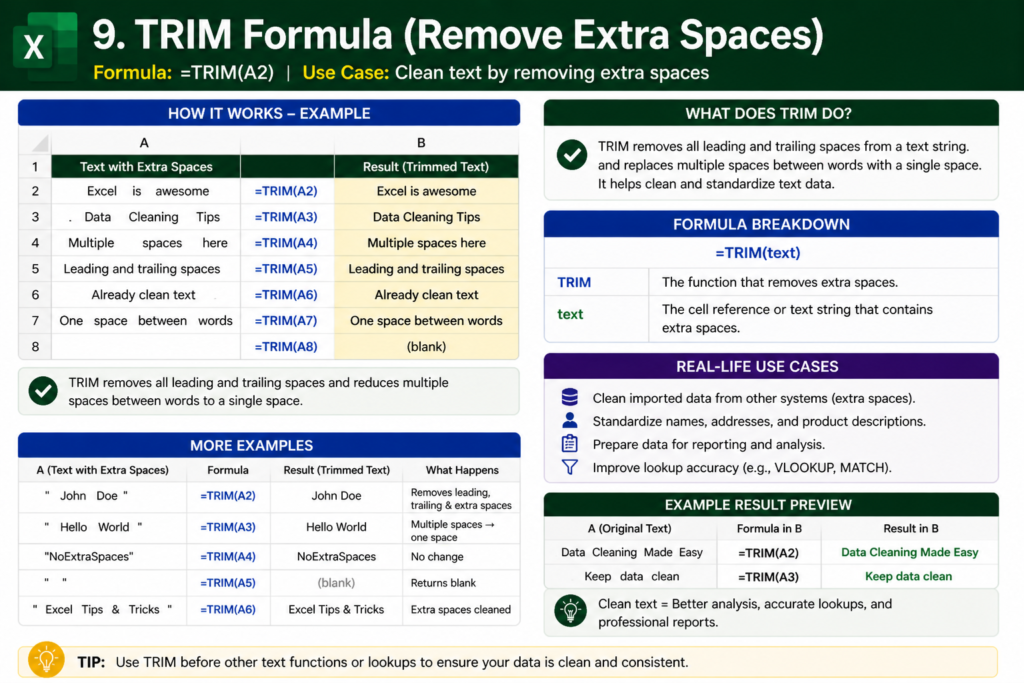
9. TRIM Formula
Formula: =TRIM(A2)
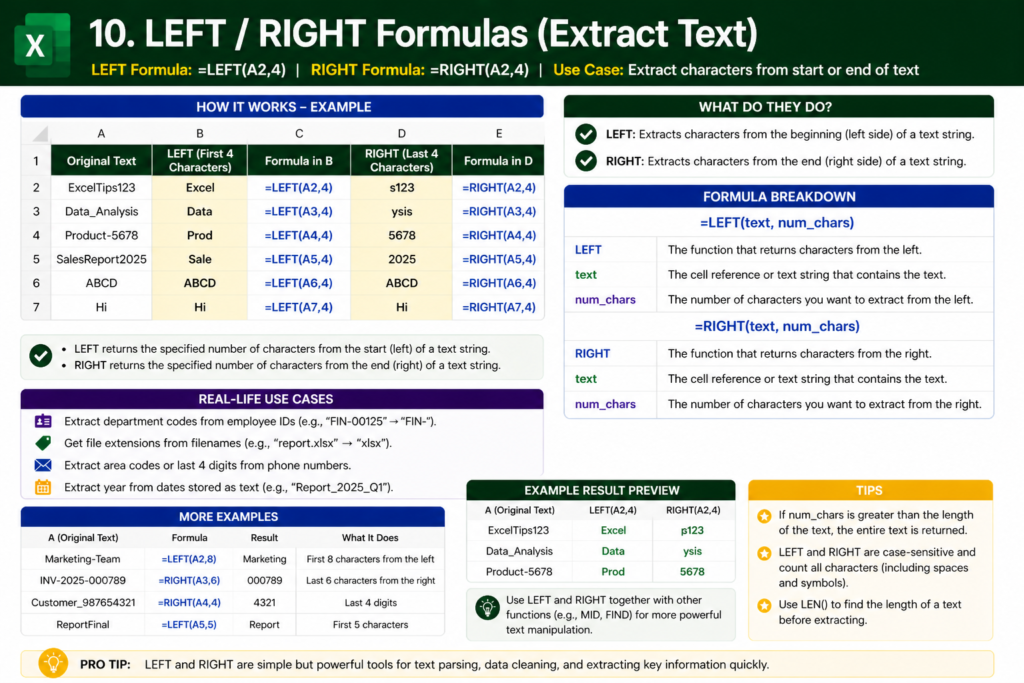
10. LEFT / RIGHT
Formula: =LEFT(A2,4)
Formula: =RIGHT(A2,4)
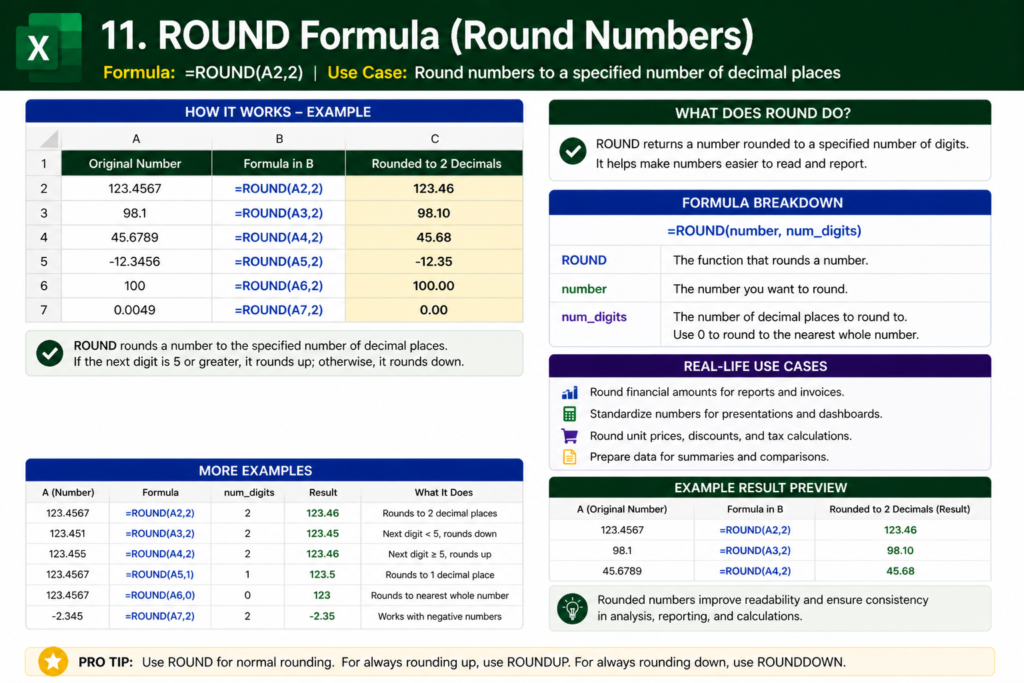
11. ROUND Formula
Formula: =ROUND(A2,2)
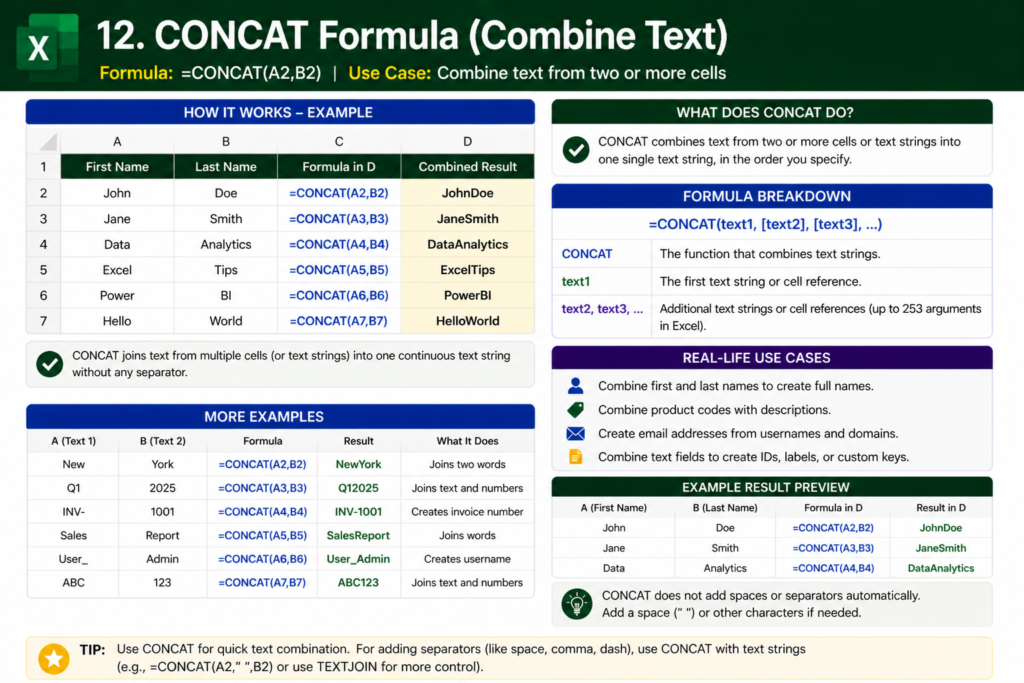
12. CONCAT Formula
Formula: =CONCAT(A2,B2)
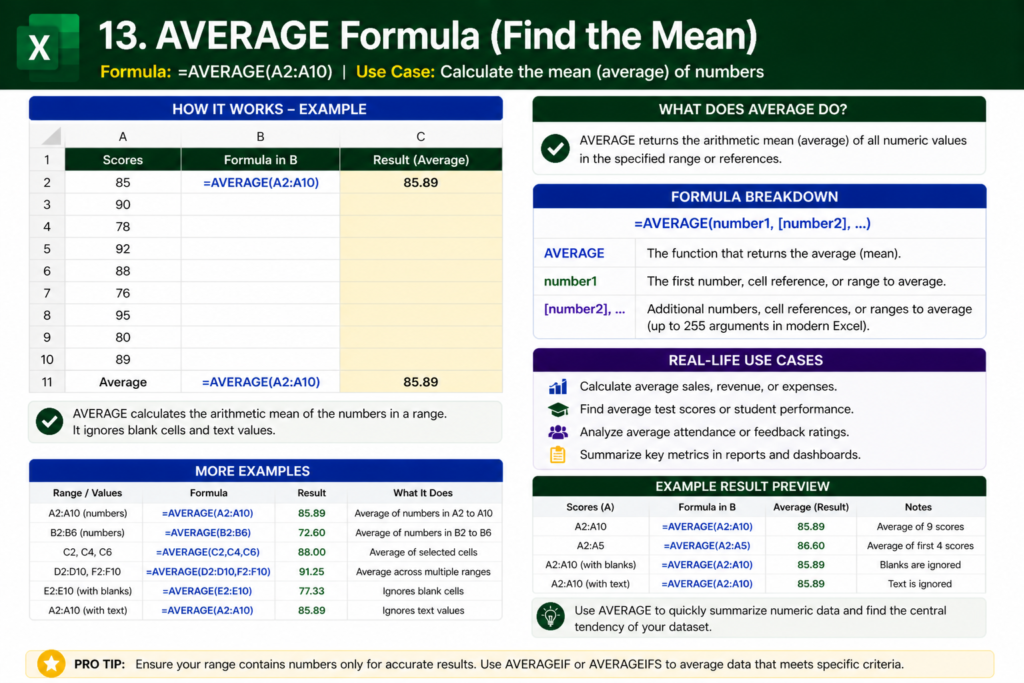
13. AVERAGE Formula
Formula: =AVERAGE(A2:A10)
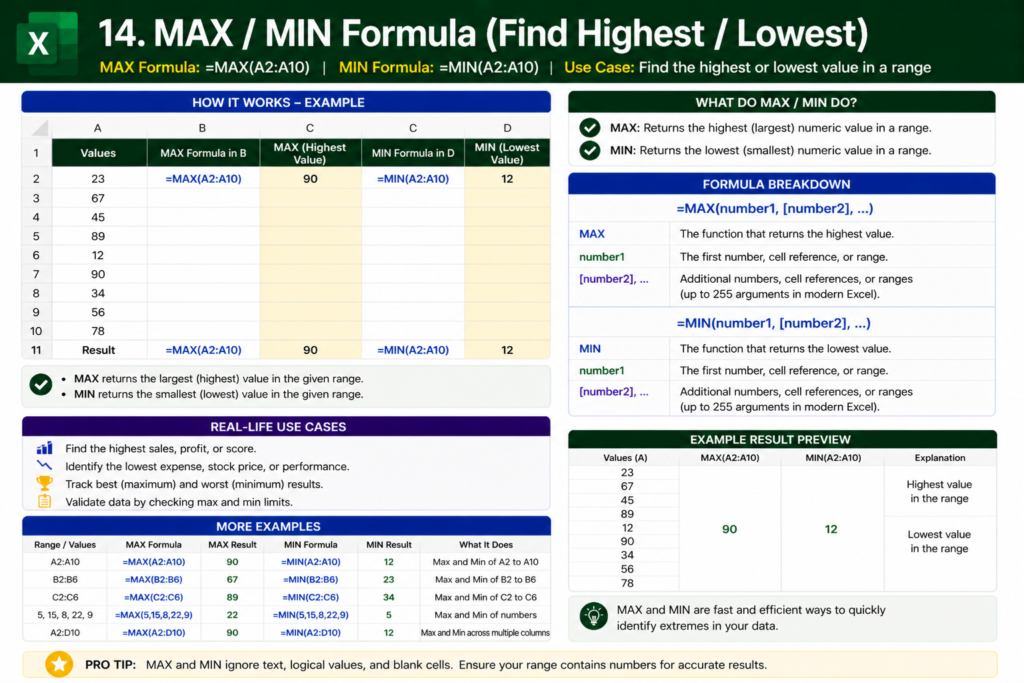
14. MAX / MIN
Formula: =MAX(A2:A10)
Formula: =MIN(A2:A10)
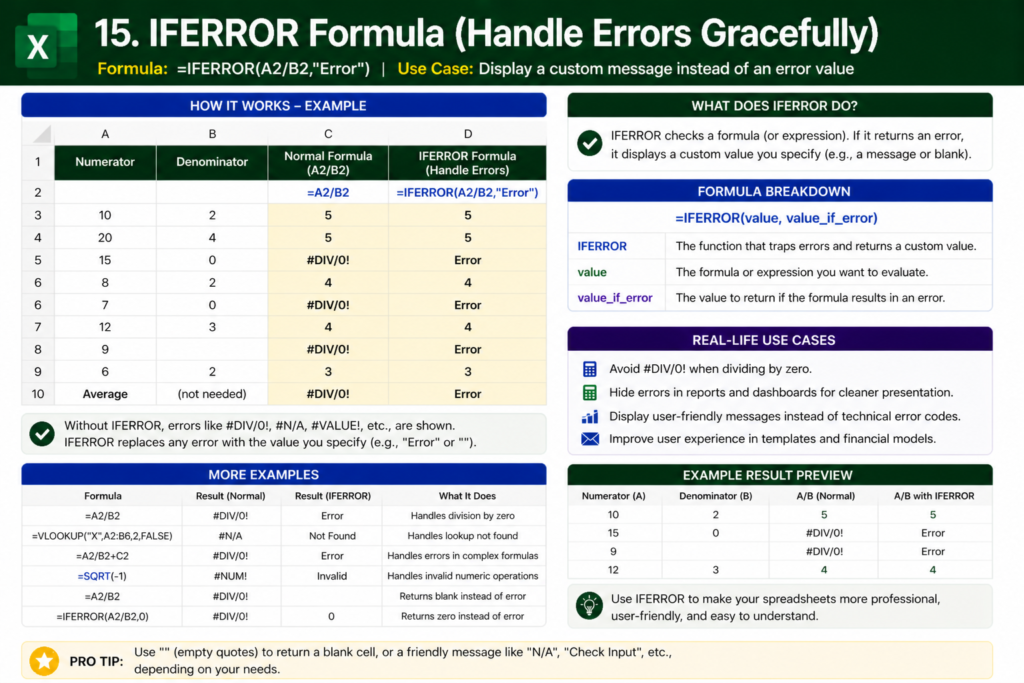
15. IFERROR
Formula: =IFERROR(A2/B2,”Error”)
Real Examples of Excel Formulas for Daily Work
Example 1: Sales Report
| Product | Sales |
|---|---|
| A | 500 |
| B | 300 |
Formula: =SUM(B2:B3)
Example 2: Attendance Sheet
Formula: =IF(B2=”P”,”Present”,”Absent”)
Example 3: Salary Calculation
Formula: =Basic+HRA-Allowances
Common Mistakes to Avoid
- ❌ Wrong cell references
- ❌ Not locking ranges ($A$1:$B$10)
- ❌ Using TRUE instead of FALSE in VLOOKUP
- ❌ Ignoring Excel errors (#N/A, #VALUE)
Tips to Master Excel Formulas Faster
- Practice daily with real data
- Learn keyboard shortcuts
- Use Excel templates
- Explore Excel 365 features
Pro Tricks (Boost Productivity 🔥)
- Use Ctrl + T to create tables
- Use Named Ranges
- Combine multiple formulas
- Use conditional formatting
Conclusion
Mastering Excel formulas for daily work can completely transform the way you handle data. From simple calculations to advanced automation, these formulas help you work faster, smarter, and more efficiently.
Start practicing these formulas today and take your productivity to the next level.
FAQs
What are basic Excel formulas?
Basic Excel formulas include SUM, IF, COUNT, and VLOOKUP.
Which Excel formula is most useful?
The IF formula is one of the most useful for decision-making tasks.
How can I learn Excel formulas quickly?
Practice daily, use real examples, and follow structured tutorials.



Your examples for sales reports and attendance tracking are really practical. I hadn’t realized how combining formulas like TEXTJOIN and IFERROR could make reports cleaner and reduce errors—definitely going to try that in my daily work. It’s a great reminder of how small formula tweaks can save so much time.