
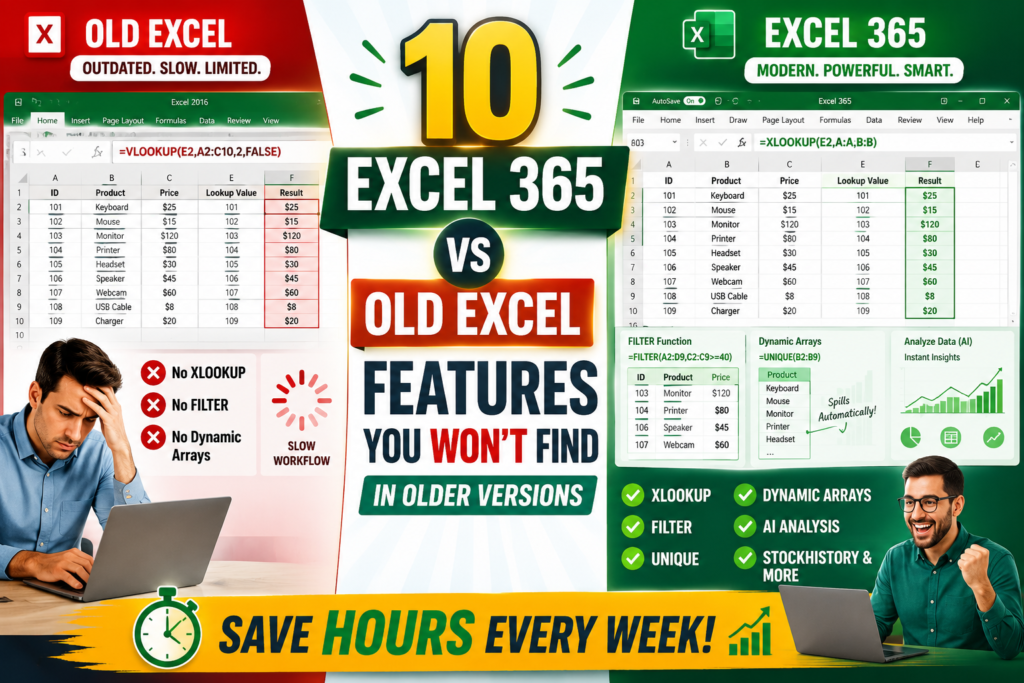

Top 10 Excel 365 Features You Won’t Find in Older Versions
Still Using an Older Version of Excel?
Top 10 Excel 365 Features:- Imagine spending two hours preparing a report when someone else finishes the same task in twenty minutes. The difference often isn’t skill—it’s the version of Excel they’re using. Excel 365 includes modern functions, automation tools, and AI-powered features that simply don’t exist in many older Excel releases.
Why Excel 365 Is Different
Traditional versions such as Excel 2013, 2016, and even some perpetual-license editions receive limited feature updates. Excel 365 works differently. Microsoft continuously delivers new functionality, meaning subscribers gain access to the latest innovations as soon as they are released.
Key Insight: Excel 365 is no longer just a spreadsheet application. It has become a productivity platform that combines automation, cloud collaboration, modern formulas, and artificial intelligence.
1. Dynamic Arrays
Dynamic Arrays changed the way formulas work. Previously, users often copied formulas down hundreds of rows. With Dynamic Arrays, one formula can automatically expand and populate neighboring cells.
This reduces workbook complexity, minimizes errors, and makes spreadsheets easier to maintain.
2. XLOOKUP
XLOOKUP is one of the most requested Excel improvements ever released. Unlike VLOOKUP, it can search in any direction, returns exact matches more easily, and is far more flexible.
Many businesses now use XLOOKUP as their primary lookup function because it reduces formula errors and simplifies workbook design.
Pro Tip: If you still use VLOOKUP extensively, learning XLOOKUP can save hours of troubleshooting and maintenance work.
3. FILTER Function
The FILTER function allows users to instantly extract records that meet specific criteria. Instead of manually applying filters every time a report changes, FILTER creates dynamic outputs that update automatically.
4. SORT and SORTBY
SORT and SORTBY automatically organize data without manual intervention. As source data changes, the sorted results update instantly.
This feature is particularly useful for dashboards, reporting systems, and performance tracking spreadsheets.
5. UNIQUE Function
Need a list of unique customers, products, or categories? The UNIQUE function removes duplicates automatically. This simple capability saves significant time when working with large datasets.
6. LET Function
LET allows users to create variables inside formulas. This makes complex calculations easier to understand and improves workbook performance because Excel doesn’t need to repeat the same calculations multiple times.
7. TEXTSPLIT Function
TEXTSPLIT makes data cleaning easier than ever. Instead of using Text-to-Columns manually, users can split names, addresses, imported records, and CSV content directly with formulas.
8. TRANSLATE Function
Global businesses often work with multilingual datasets. TRANSLATE helps convert content directly within Excel, reducing dependence on external tools.
9. Analyze Data
Analyze Data uses AI to identify trends, create charts, recommend PivotTables, and uncover insights. For many users, it acts like a built-in data analyst.
AI-powered analysis can help users discover patterns they might otherwise overlook.
10. STOCKHISTORY Function
Investors and analysts can retrieve historical stock market data directly into worksheets. This eliminates many manual imports and simplifies financial analysis.
Excel 365 vs Older Versions
| Feature | Excel 365 | Older Versions |
|---|---|---|
| Dynamic Arrays | Yes | No |
| XLOOKUP | Yes | No |
| FILTER | Yes | No |
| UNIQUE | Yes | No |
| TEXTSPLIT | Yes | No |
| Analyze Data | Yes | Limited |
| Continuous Updates | Yes | No |
Should You Upgrade?
If you regularly create reports, dashboards, financial models, inventory systems, or business analyses, Excel 365 can dramatically improve efficiency. The combination of modern formulas and automation tools often justifies the subscription cost through time savings alone.
Older Excel versions still work, but they lack many of the productivity improvements that modern professionals now rely on daily.
Final Thoughts
Excel 365 represents a major leap forward compared with older versions. Features such as XLOOKUP, Dynamic Arrays, FILTER, TEXTSPLIT, and AI-powered analysis remove repetitive tasks and allow users to focus on insights rather than manual processes.
Frequently Asked Questions
Does Excel 2019 include XLOOKUP?
No. XLOOKUP is primarily available in Excel 365.
Can I use FILTER in Excel 2016?
No. FILTER is a modern Excel 365 feature.
Which Excel 365 feature saves the most time?
Most users cite XLOOKUP, Dynamic Arrays, and FILTER as the biggest productivity improvements.


Pingback: 25 ChatGPT Prompts Every Excel User Should Save in 2026 - Excel AI Tools and SEO Guides
Pingback: Stop Creating Calendars Manually—This VBA Tool Does It Instantly - Excel AI Tools and SEO Guides