
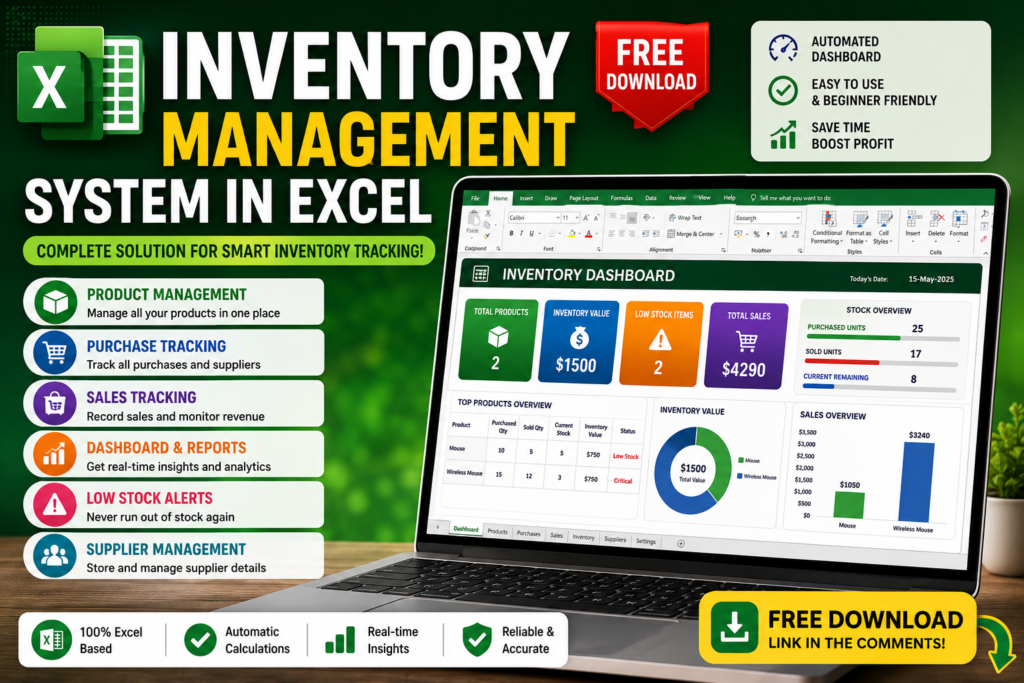

Free Inventory Management System in Excel – Complete Dashboard + Free Download
Free Inventory Management System in Excel:- Managing inventory sounds simple… until products start disappearing, stock levels become confusing, and sales records begin piling up.
📦 What if this happens?
Imagine you’re running a small shop or online business.
A customer orders a product.
You check your stock and realize:
❌ Product already sold out
❌ Purchase entries are missing
❌ You don’t know remaining inventory
❌ Supplier details are scattered
❌ Profit tracking becomes difficult
Now imagine Excel automatically handling all of this.
Why Use an Inventory Management System in Excel?
Most beginners manage inventory manually in notebooks or random spreadsheets. That works initially, but as products increase, mistakes increase too.
A smart inventory management system helps you:
- Track stock automatically
- Monitor incoming purchases
- Track outgoing sales
- Calculate inventory value
- Monitor business performance
- Receive low-stock alerts
🚀 Features Included In This Free Excel Inventory System
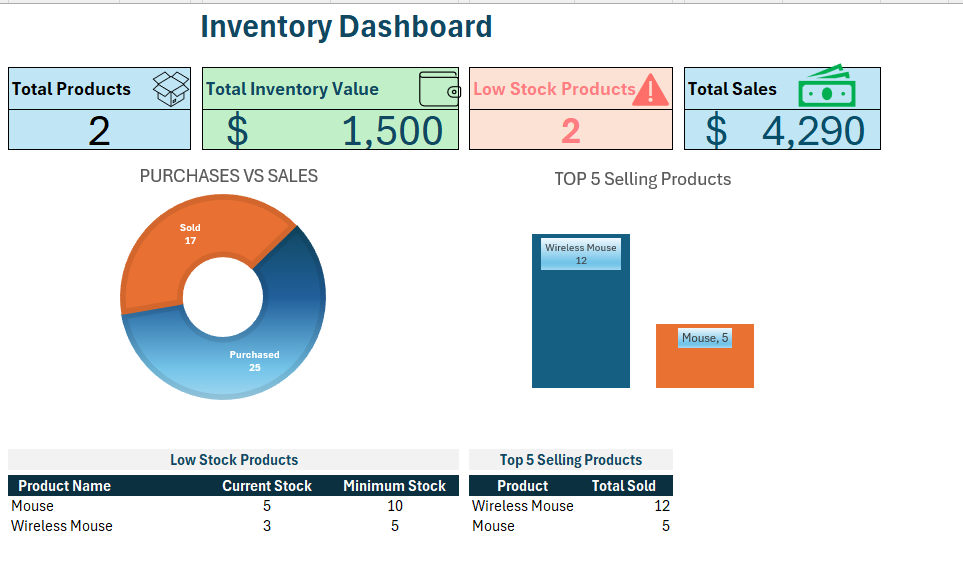
📊 Smart Dashboard
- Total Products Overview
- Total Inventory Value
- Total Sales Tracking
- Remaining Stock Status
- Business Performance Metrics
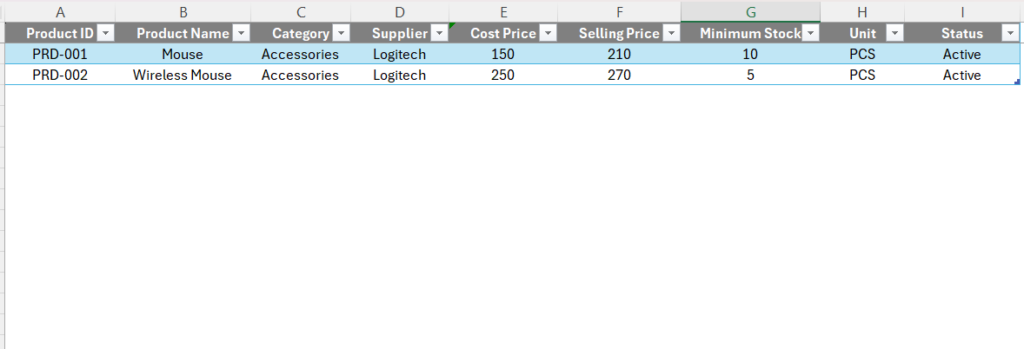
📦 Product Database
- Product Names
- Product IDs
- Cost Price
- Selling Price
- Categories
- Minimum Stock Level
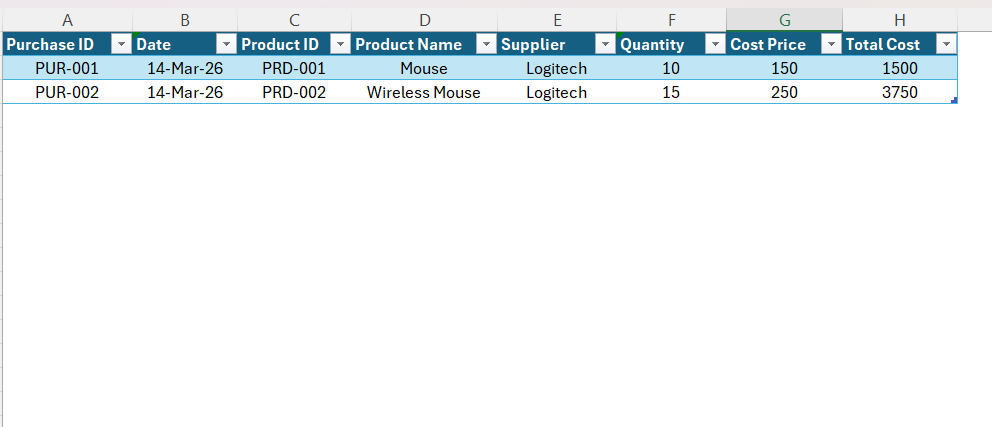
🛒 Purchase Tracking
- Incoming stock records
- Supplier details
- Purchase quantity
- Date tracking
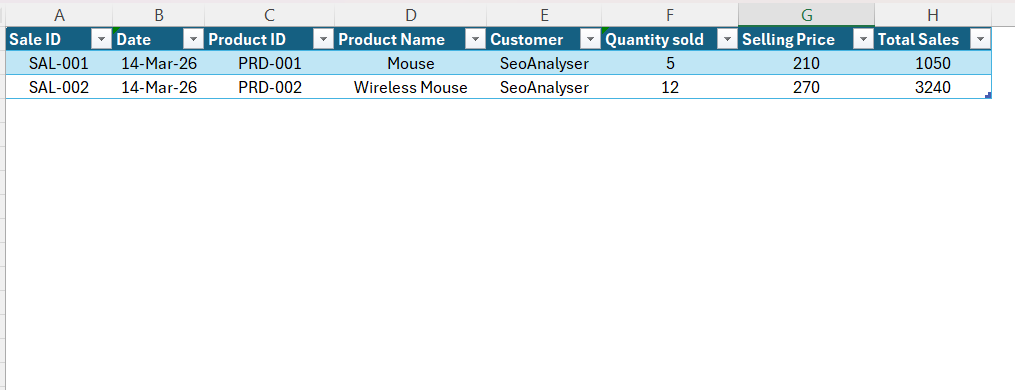
💰 Sales Tracking
- Sales entries
- Revenue tracking
- Sold quantities
- Product performance analysis
⚠ Low Stock Alerts
- Identify products running out of stock
- Avoid inventory shortages
- Reduce business losses
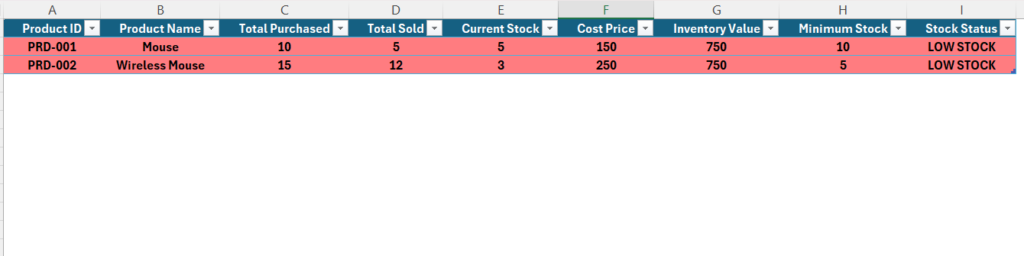
Real Inventory Analysis Example
Mouse
Purchase Quantity: 10
Sold Quantity: 5
Current Stock: 5
Selling Price: $210
⚠ Stock below minimum level
Wireless Mouse
Purchase Quantity: 15
Sold Quantity: 12
Current Stock: 3
Selling Price: $270
⚠ Critical stock level detected
📈 Benefits Of Using This Excel Inventory System
⏰ Save Time
📊 Better Decisions
💰 Increase Profit
⚡ Reduce Manual Work
📦 Real-Time Stock Tracking
🚀 Beginner Friendly
Who Can Use This Inventory Management System?
- Small business owners
- Shop owners
- Students learning Excel
- Freelancers
- Office professionals
- Beginners learning dashboards
📘 Continue Learning Excel
Master Excel faster with these practical guides:
Frequently Asked Questions
Can beginners use this inventory management system?
Yes. The system is designed for beginners and does not require advanced Excel skills.
Can I customize products?
Yes. You can add unlimited products and categories.
Does it automatically calculate stock?
Yes. Current inventory updates automatically based on purchases and sales.
Is this system free?
Yes. This Excel inventory management system is completely free for followers.
🎁 Free Inventory Management System Download
Download, customize and start tracking your inventory smarter.
Subscribe to our YouTube channel for Excel tutorials, dashboards, VBA projects and automation tricks.


I need this file
Please download from https://us.seoanalyser.in/wp-content/uploads/2026/05/Inventory_Management_System-1.xlsx
Pingback: Top 10 Excel 365 Features You Won’t Find in Older Versions - Excel AI Tools and SEO Guides
Pingback: Project INSPECT: School Infrastructure Monitoring System & Dashboard 2026 - Excel AI Tools and SEO Guides
Pingback: Top 5 Dashboard Design Mistakes That Ruin Data Insights (And How to Fix Them) - Excel AI Tools and SEO Guides