
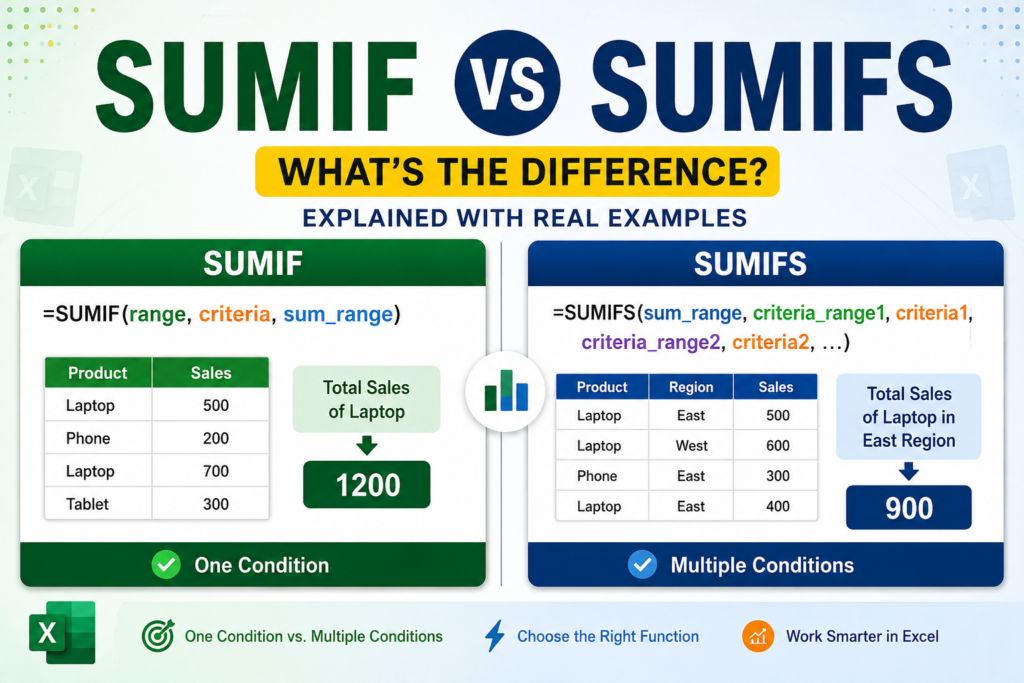

Confused between SUMIF vs SUMIFS in Excel? Learn the key differences, real examples, syntax, mistakes, and when to use each function step by step.
Have you ever opened an Excel sheet and thought:
“Why is this formula not working?”
You type SUMIF, expecting Excel to calculate values instantly, but suddenly someone tells you:
“No, use SUMIFS instead.”
Many Excel users struggle because both formulas look almost identical.
Quick Answer:
- SUMIF → Works with one condition
- SUMIFS → Works with multiple conditions
If you’re new to Excel formulas, first understand how to use the SUMIF function in Excel before moving into advanced formulas.
What Is SUMIF in Excel?
The SUMIF function adds values based on a single condition.
SUMIF Syntax
=SUMIF(range,criteria,sum_range)
Example
| Product | Sales |
|---|---|
| Laptop | 500 |
| Phone | 200 |
| Laptop | 700 |
| Tablet | 300 |
=SUMIF(A2:A5,"Laptop",B2:B5)
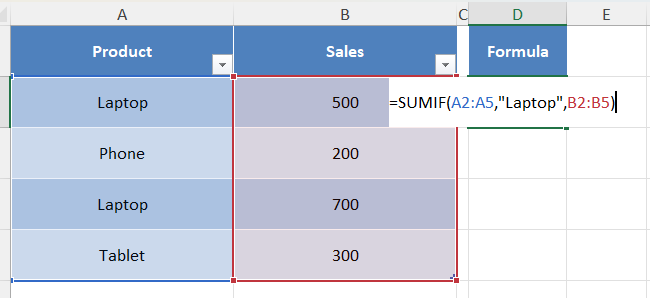
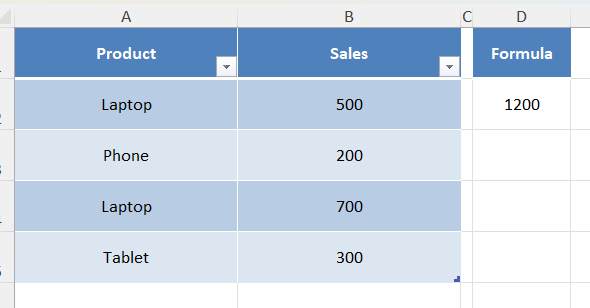
Result: 1200
What Is SUMIFS in Excel?
SUMIFS adds values using multiple conditions.
SUMIFS Syntax
=SUMIFS(sum_range,criteria_range1,criteria1,criteria_range2,criteria2)
Example
| Product | Region | Sales |
|---|---|---|
| Laptop | East | 500 |
| Laptop | West | 600 |
| Phone | East | 300 |
| Laptop | East | 400 |
=SUMIFS(C2:C5,A2:A5,"Laptop",B2:B5,"East")
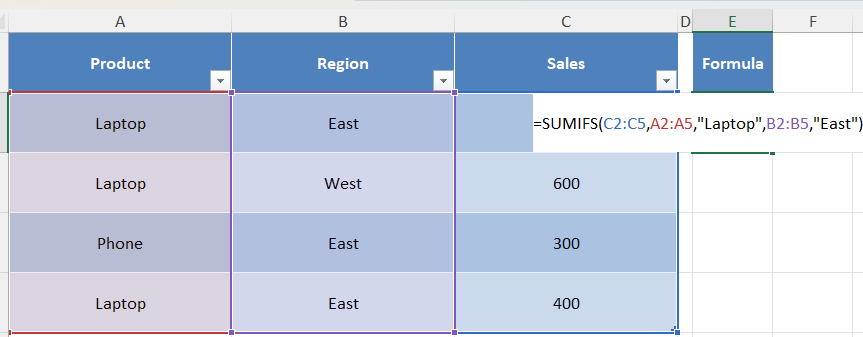
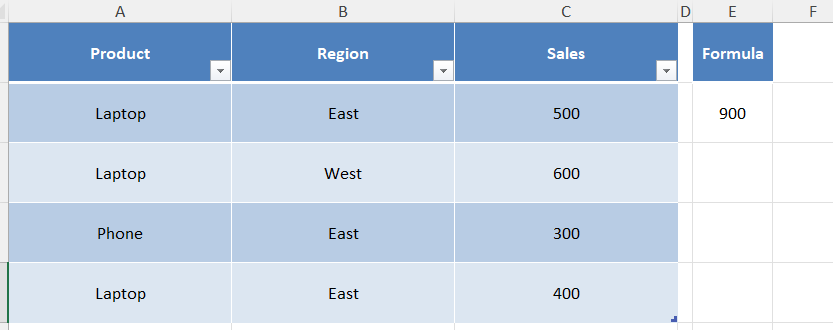
Result: 900
SUMIF vs SUMIFS: Main Differences
| Feature | SUMIF | SUMIFS |
|---|---|---|
| Conditions | One | Multiple |
| Difficulty | Easy | Advanced |
| Best For | Simple Reports | Business Reports |
| AND Logic | No | Yes |
Real Life Example
Imagine you manage inventory data.
You need:
Total Laptop Sales
Use SUMIF.
Now your manager asks:
“Show Laptop sales from Germany during May.”
Now multiple conditions are needed:
- Product = Laptop
- Country = Germany
- Month = May
Use SUMIFS.
Common Mistakes Users Make
1. Using SUMIF for Multiple Conditions
Wrong:
=SUMIF(A:A,"Laptop",B:B,"East")
Correct:
=SUMIFS(C:C,A:A,"Laptop",B:B,"East")
2. Mixing Range Order
Wrong:
=SUMIFS(criteria_range,sum_range)
Correct:
=SUMIFS(sum_range,criteria_range,criteria)
📘 Continue Learning Excel
Master Excel faster with these tutorials:
- How to Use SUMIF in Excel
- Stop Losing Money: Track Every Expense in Excel Like a Pro (Step-by-Step Guide-2026)
- Top Pivot Table Interview Questions and Answers (2026 Guide)
- Excel Arrow Keys Not Moving Cells? Here’s the Quick Fix (Step-by-Step Guide 2026)
How to Use the SUMIF Function in Excel
SUM vs SUMIF vs SUMIFS in Excel
Frequently Asked Questions
Is SUMIFS better than SUMIF?
Not always. SUMIF is easier for one condition, while SUMIFS becomes useful for multiple conditions.
Can SUMIF handle multiple conditions?
No. SUMIF only supports one condition.
Can SUMIFS work with dates?
Yes. SUMIFS works well with dates and monthly reports.
Final Thoughts
Remember:
One Condition → SUMIF
Multiple Conditions → SUMIFS
Understanding these formulas can save hours while creating reports and dashboards in Excel.


Pingback: How to Create a Drop Down List in Excel (Step-by-Step Guide) - Excel AI Tools and SEO Guides
Pingback: Free Inventory Management System in Excel – Complete Dashboard with Download 2026 - Excel AI Tools and SEO Guides