
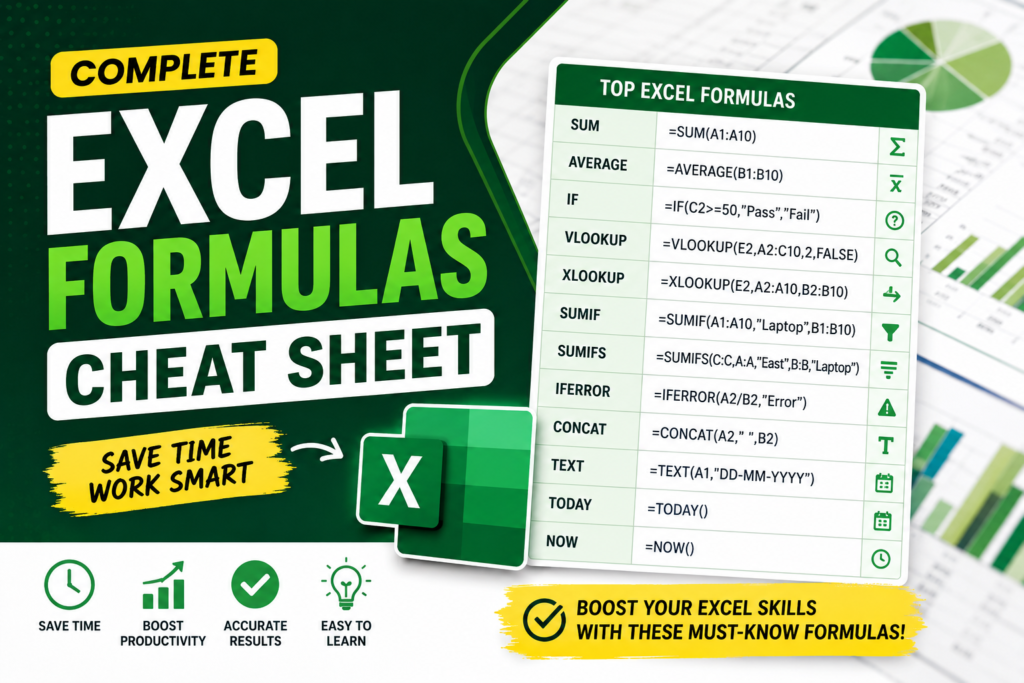

Excel Formulas Cheat Sheet: The Only Guide Most Excel Users Need in 2026
If you work with Excel regularly, you already know one thing: formulas save hours of manual work. Whether you are a student, office employee, accountant, analyst, freelancer, or business owner, knowing the right formulas can completely change how fast and efficiently you work.
That’s exactly why an Excel formulas cheat sheet is so useful. Instead of searching online every day, you can quickly find the formulas you need for daily tasks.
In this guide, you’ll learn:
- Most important Excel formulas
- Real-world examples
- Excel shortcuts
- Common formula errors
- Tips to improve productivity
Why You Need an Excel Formulas Cheat Sheet
An Excel formulas cheat sheet acts like a quick reference guide for daily office work. It helps beginners learn faster and saves time for professionals.
- Saves time
- Improves productivity
- Reduces mistakes
- Helps in office work
- Makes reports easier
- Useful for interviews and jobs
Most Important Excel Formulas Cheat Sheet
1. SUM Formula
The SUM formula adds numbers together.
=SUM(A1:A10)
Best For: Sales reports, expenses, budgets, totals.
2. AVERAGE Formula
Calculates the average value.
=AVERAGE(B1:B10)
Best For: Average marks, employee performance, sales analysis.
3. IF Formula
Checks conditions and returns results.
=IF(C2>=50,"Pass","Fail")
Best For: Pass/fail systems, bonus eligibility, attendance.
4. COUNT Formula
Counts cells containing numbers.
=COUNT(A1:A20)
Best For: Counting records and entries.
5. COUNTA Formula
Counts non-empty cells.
=COUNTA(A1:A20)
Difference: COUNTA counts text and numbers.
6. MAX and MIN Formula
Finds highest and lowest values.
=MAX(A1:A10)
=MIN(A1:A10)
Best For: Highest sales, lowest marks, performance tracking.
7. VLOOKUP Formula
Searches data vertically in a table.
=VLOOKUP(E2,A2:C10,2,FALSE)
Best For: Employee data, inventory lookup, databases.
8. XLOOKUP Formula
Modern replacement for VLOOKUP.
=XLOOKUP(E2,A2:A10,B2:B10)
Why Better: Easier, faster, and more flexible.
9. IFERROR Formula
Handles errors professionally.
=IFERROR(A2/B2,"Error")
Best For: Dashboards and reports.
10. CONCAT Formula
Combines text from multiple cells.
=CONCAT(A2," ",B2)
Best For: Full names, customer lists, databases.
11. TEXT Formula
Formats numbers and dates.
=TEXT(A1,"DD-MM-YYYY")
Best For: Date formatting and reports.
12. TODAY Formula
Returns the current date.
=TODAY()
Best For: Attendance sheets and trackers.
13. NOW Formula
Returns current date and time.
=NOW()
Best For: Live dashboards and timestamps.
14. SUMIF Formula
Adds numbers based on conditions.
=SUMIF(A1:A10,"Laptop",B1:B10)
Best For: Category-wise sales reports.
15. SUMIFS Formula
Adds values using multiple conditions.
=SUMIFS(C:C,A:A,"East",B:B,"Laptop")
Best For: Advanced sales analysis and filtering.
Excel Keyboard Shortcuts Cheat Sheet
| Shortcut | Function |
|---|---|
| Ctrl + C | Copy |
| Ctrl + V | Paste |
| Ctrl + Z | Undo |
| Ctrl + T | Create Table |
| Ctrl + Shift + L | Apply Filters |
| F4 | Lock Cell Reference |
| Alt + = | Auto SUM |
Pro Tips for Excel Users
Use Absolute References
=$A$1
This locks the cell reference so formulas don’t change during drag-and-fill.
Convert Data Into Tables
Ctrl + T
Tables create dynamic formulas and improve filtering.
Prefer XLOOKUP Over VLOOKUP
If you use Excel 365, XLOOKUP is faster, cleaner, and easier.
Common Excel Formula Errors
#DIV/0!
Occurs when dividing by zero.
#N/A
Usually appears in lookup formulas.
#VALUE!
Occurs when incorrect data types are used.
How to Learn Excel Formulas Faster
- Practice one formula daily
- Use real-world projects
- Create mini dashboards
- Learn shortcuts alongside formulas
- Use cheat sheets regularly
Final Thoughts
An Excel formulas cheat sheet is one of the best productivity resources for students, office workers, analysts, and professionals. You don’t need to memorize hundreds of formulas overnight. Start with the most important formulas like SUM, IF, XLOOKUP, VLOOKUP, IFERROR, and SUMIF.
As you practice daily, Excel becomes easier and faster. These formulas can save hours of manual work every week and improve your efficiency dramatically.
@Excel Tricks | Excel Formulas Cheat Sheet 2026


Pingback: 7 Hidden Excel Shortcuts That Save Office Workers Hours Every Week - Excel AI Tools and SEO Guides
Pingback: Excel Interview Questions for Freshers: Real Scenarios Recruiters Ask in 2026 - Excel AI Tools and SEO Guides